 Palworld
Palworld All Controls and How to Change: Beginner Guide
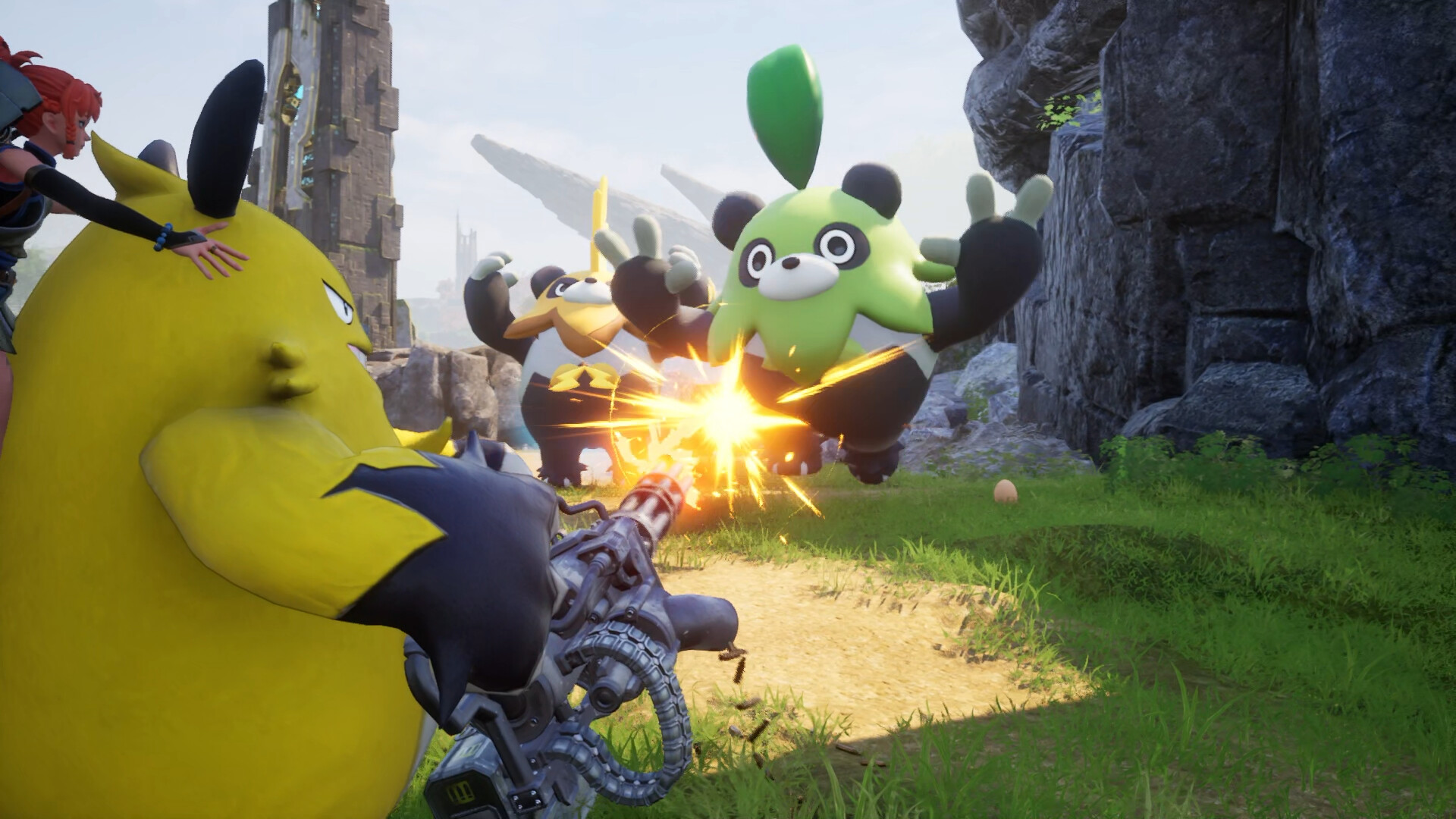
Quick Answer: Palworld All Controls and How to Change means learning the default movement, combat, and build inputs, then remapping them in the settings menu so you can farm, fight, and ride Pals without fighting the keyboard.
Palworld is the kind of game that looks cute for about five seconds, then asks you to wrestle menus, survival systems, and a suspiciously aggressive sheep. The good news: once you understand the control layout and how to customize it, the whole experience gets way smoother.
Palworld is developed and published by Pocketpair, and it launched in early access in January 2024 before fully releasing on July 10, 2026 Source. Steam currently shows a “Very Positive” review summary with 94.4% positive across 446247 reviews Source, which is a pretty strong hint that lots of players eventually get their footing after the first confused hour.
The control setup you should learn first
The control setup you should learn first is the one for movement, camera, interact, attack, Pal summoning, and menu navigation, because those are the inputs you’ll use constantly from the opening minutes onward.
Palworld is a survival-crafting game where you fight, farm, build, and work alongside Pals Source. That means your controls aren’t just for combat like in a regular action game. You’ll also be opening chests, assigning work, aiming at base structures, gliding, riding, and swapping between tools so often that bad keybinds can make the game feel clunky even when the gameplay itself is fine.
A smart beginner approach is to learn the “core loop” controls before you worry about every possible action. In practice, that means:
- Movement and camera: moving, sprinting, crouching, jumping, and adjusting the camera quickly.
- Interaction: picking up items, opening containers, talking to NPCs, using workbenches, and mounting Pals.
- Combat basics: light attacks, aiming, shooting, dodging, reloading, and swapping weapons.
- Pal actions: summoning a Pal, issuing commands, and activating partner abilities.
- Menu actions: opening inventory, crafting, map, technology, and settings.
If you are coming from another survival game, Palworld may feel like “one more button than necessary” at first. That’s normal. The trick is to reduce friction early so you are not accidentally opening the map when you meant to swing a club, which is a hilarious mistake exactly once.
A practical beginner control priority
If you only memorize a few input categories on day one, focus on these:
- Open inventory and crafting
- Interact / pick up
- Jump / sprint / crouch
- Attack / aim / reload
- Summon and recall Pals
- Open map and fast-travel related menus
Those cover the majority of what you’ll do in your first session. Everything else is nice to know, but these are the controls that keep you alive, fed, and building your first base instead of staring at the screen while a wild creature samples your health bar.
How to change controls without making your life miserable
How to change controls in Palworld is straightforward: go into the settings menu, find the keybind or control options, and remap anything that feels awkward before you invest time in a long save.
This is the part of Palworld All Controls and How to Change that saves people the most frustration. The default setup may be fine for one player and miserable for another, especially if you switch between keyboard and mouse, controller, or Steam Deck. ProtonDB currently classifies the game as platinum and Steam Deck status is verified Source, so the game is generally compatible on handheld-style setups, but your personal comfort still matters more than compatibility labels.
When remapping, do not overhaul everything at once. Make small changes and test them in the field. If you change jump, dodge, and interact all at the same time, you’ll spend the next hour accidentally petting a crafting station.
Good control changes for most beginners
These are the kinds of control tweaks that usually help right away:
- Put interact on a key that is easy to reach while moving.
- Put sprint on a comfortable hold or toggle, depending on your preference.
- Keep attack and aim on familiar mouse buttons if you are on keyboard and mouse.
- Move inventory, map, and Pal management to keys that do not conflict with movement.
- If you use a controller, check whether toggle sprint, camera sensitivity, and button prompts feel readable rather than cramped.
If you are using a controller, the important thing is not to chase some “perfect” layout you found on a forum. The best layout is the one that lets you summon a Pal, switch tools, and open the map without the right thumb doing interpretive dance.
Where players usually look first in the settings
Look for the control settings in the main menu before you load in, or pause once you are in-game and open the options panel. Depending on your platform and input device, the game may split settings into categories like keyboard/mouse, controller, and gameplay. That is useful because it lets you separate raw movement feel from actual key remapping.
If you are not sure whether a change is worth keeping, use a quick test route:
- Leave your base.
- Gather a few nearby resources.
- Open the inventory.
- Summon and recall a Pal.
- Build one small structure.
If any step feels awkward, go back and tweak only the control that caused the problem. That is the least painful way to build a layout you will actually remember.

You might also like
- Palworld Beginner Guide: First Steps, Resources, and Common Mistakes
- Palworld Legendary Blueprints in the Version 0 2 0 6 update: Beginner Guide
- Palworld What Carries Over to Version 1 0 Beginner Guide
- Palworld Beginner Guide
- Palworld Version 1 0 Release Time and Countdown Beginner Guide
First-hour checklist for a clean start
Your first-hour checklist should focus on getting basic survival tools, a starter base, and your first dependable Pals so you do not spend your opening session wandering around with full pockets and no plan.
The first hour in Palworld is less about “winning” and more about stabilizing. You are trying to move from fragile survival mode into a loop where your Pals and your base do some of the busywork. Since the game is built around fighting, farming, building, and working with Pals Source, your first hour should set up all four pillars, even if only in a small way.
First-hour checklist
- Collect basic materials immediately
- Grab wood, stone, and any starter resources near spawn.
- Break easy objects and gather everything on the ground that is safe to carry.
- Craft your opening tools
- Make the tools that let you gather faster and survive longer.
- If the recipe list is open, prioritize utility over “nice to have” items.
- Catch your first few Pals
- Target common early creatures you can reliably weaken and capture.
- You want at least one Pal that helps you gather and one that helps in fights.
- Build a starter base
- Set up near resources you can reach quickly.
- Keep the first base simple: foundation, storage, crafting stations, and beds or sleeping arrangements if available in your progression.
- Unlock the first obvious technology upgrades
- Spend early progression on basics that make gathering, storage, or combat smoother.
- Avoid sinking everything into fancy items you cannot support yet.
- Test Pal commands at base
- Throw a Pal into work areas and see whether it actually helps.
- If the creature is idle, reposition it or move the station.
- Explore just enough to find safety and structure
- Learn where nearby water, trees, ore, and flat land are.
- Do not wander so far that you lose the route back to base.
A good first-hour flow
A sane opening sequence looks like this:
- Spawn in and collect what is immediately around you.
- Make tools and a basic weapon if available.
- Capture a few Pals instead of chasing a perfect team.
- Place your first base in a practical spot.
- Build storage and a crafting setup.
- Push a little farther for materials, then return before your inventory becomes a tragedy.
That sequence works because it reduces backtracking. New players often run around gathering random stuff, then realize they have no storage, no crafting efficiency, and no base placement plan. That is how an hour disappears into what I call “survival game soup.”
Examples of good early objectives
- Catch a basic worker Pal and a basic combat Pal.
- Establish a home close to common gathering materials.
- Build enough infrastructure to stop carrying every log and rock in your backpack like a cursed pack mule.
If you hit those three goals, your first session is already a success.
Resource priority order: what to spend, hoard, and craft first
Your resource priority order should favor survival, mobility, and base efficiency first, then long-term upgrades, because early spending on the wrong thing slows every other system down.
This is where beginners either become efficient or become the person with four decorative objects, no storage, and a broken weapon. In Palworld, the temptation is always to craft the shiny thing. Resist that urge. Your early-game economy should support gathering, base creation, and reliable capture attempts before luxury items.
Early resource priority table
| Priority | Spend on | Hoard / save for | Why it matters |
|---|---|---|---|
| 1 | Basic tools, starter weapon, storage | Rare crafting materials | Lets you gather and survive faster |
| 2 | Workstations and base foundations | Special resources for later tech | Improves your production loop |
| 3 | Pal capture supplies and healing items | Materials needed for upgrades | Keeps your team growing |
| 4 | Mobility and travel convenience | Components for stronger gear | Reduces downtime and wandering |
| 5 | Cosmetic or convenience extras | Anything hard to replace early | Nice later, not urgent now |
What to spend first
Spend your first meaningful materials on anything that improves gathering speed, survivability, or storage. That usually means tools, a modest weapon, and enough building materials to avoid living out of your backpack forever. If you can place a crafting station and storage early, you are already ahead of the “I guess I’ll carry twelve stacks of rocks” crowd.
Concrete examples of useful early spending:
- Workbench-style crafting progression for better tools.
- Storage containers so you stop dumping resources on the ground like a raccoon.
- Basic weapons and ammunition if your build path relies on ranged combat.
- Simple base structures that make your Pals useful instead of confused.
What to hoard first
Save the stuff that upgrades the pace of your entire playthrough. Early rare materials often feel tempting to use the moment you get them, but many of them are better held back for later structures, advanced gear, or boss progression. If a resource seems like it might be used in a higher-tier recipe, assume future-you will be angry if you waste it now.
Good “maybe don’t spend yet” examples include:
- Rare drop materials from stronger Pals.
- Any part that appears to be used in multiple future recipes.
- Special items that seem tied to base upgrades or progression milestones.
What to craft first
The best first crafts are the ones that remove bottlenecks:
- A faster gathering tool so wood and stone stop taking forever.
- A starter weapon so you can defend yourself while learning capture timing.
- Storage so your base can absorb everything you gather.
- Basic healing or sustain items if the game’s current state makes early fights messy.
That order usually beats crafting “cool” gear too early. Beginners often overinvest in damage and underinvest in organization. Then they win one fight, come home to a disaster, and spend the next ten minutes trying to find where they put their materials. Totally relatable, but not ideal.
Common mistakes and how to fix them
The most common newbie mistakes are rushing combat, ignoring base setup, misusing Pals, and burning resources on the wrong upgrades, and every one of them has a simple fix.
This section exists because Palworld is generous in some places and quietly brutal in others. The game will absolutely let you make a bad decision and then stand there while you learn from it.
Mistake 1: Building the base too far from useful resources
Players often place the first base in a scenic spot instead of a practical one because the view looks nice and the flat land feels safe.
- Why it happens: New players assume “best base” means prettiest base.
- Fix: Build near common resources you use constantly, especially wood, stone, and easy travel routes. A good first base is boring on purpose.
- Example: If your base is across a painful trek from your gathering area, you are wasting time every trip.
Mistake 2: Catching Pals without thinking about roles
A lot of beginners grab whatever is easiest to capture, then wonder why the base still feels slow or why combat is weak.
- Why it happens: Early capture success feels exciting, so players stop at “I caught something.”
- Fix: Keep at least one Pal that helps with work and one that helps in fights. Test whether the Pal actually contributes to your base or team.
- Example: A worker Pal can speed up your base loop while another Pal helps you survive enemy encounters.
Mistake 3: Spending rare materials too early
Players burn special drops on the first shiny recipe they see, then hit a progression wall later.
- Why it happens: Early game scarcity makes every rare item feel like a jackpot.
- Fix: Save uncommon materials until you know what your next upgrade tier needs. If a recipe looks “cool but optional,” wait.
- Example: If you are not yet using the item every session, it probably does not deserve your rare materials.
Mistake 4: Ignoring controls and struggling through awkward keybinds
Some players suffer with bad default keys for hours instead of remapping one or two things.
- Why it happens: People assume control changes are complicated or not worth the effort.
- Fix: Open settings early and change only the bindings that interfere with movement, combat, or interaction.
- Example: If you keep opening the wrong menu during fights, rebind that menu key immediately.
Mistake 5: Treating the first weapon as a permanent solution
Beginners sometimes cling to the first decent weapon or tool and forget to upgrade the loadout.
- Why it happens: Early success creates false confidence.
- Fix: Check your crafting or technology options regularly and upgrade when your current weapon stops solving the problem quickly.
- Example: If wild enemies are taking too long to drop or you are burning through resources, it is time to improve your kit.
Mistake 6: Filling the base with too many tasks too soon
Players often scatter workstations everywhere, which makes Pals inefficient and the base harder to navigate.
- Why it happens: More buildings feels like more progress.
- Fix: Add stations gradually and watch how your Pals interact with them. If pathing gets messy, simplify the layout.
- Example: Two well-placed workstations are often better than six cluttered ones.
Common Mistakes
The common mistakes beginners make in Palworld are mostly about pace, planning, and control comfort, and the fix is to slow down just enough to set up the right habits.
- Mistake: Not remapping awkward controls
- Why players do it: They assume the default layout is fine because it works “technically.”
- Fix: Change any key that interrupts combat, harvesting, or menu access before the first long play session.
- Mistake: Ignoring the map and travel path
- Why players do it: They get tunnel vision on nearby materials.
- Fix: Mark useful routes and keep your base near a sensible travel line.
- Mistake: Using every capture item immediately
- Why players do it: They want to fill the roster fast.
- Fix: Save capture attempts for creatures you can actually use or that fit your current team needs.
- Mistake: Letting inventory fill with junk
- Why players do it: Early materials all look important.
- Fix: Sort by immediate crafting value and drop or store low-priority items.
- Mistake: Building too early around aesthetics
- Why players do it: Base-building games tempt everyone into architecture mode.
- Fix: Make your first base functional, then beautify it later when production is stable.
- Mistake: Forgetting to test controls after changes
- Why players do it: They assume the new bindings are obvious.
- Fix: Always run a short field test with movement, interaction, combat, and Pal commands.
Pro Tips
The best beginner-to-intermediate tips in Palworld are the ones that make your first base, capture loop, and combat flow feel cleaner without requiring advanced knowledge.
Tip 1. Rebind only the buttons that interrupt muscle memory
If you keep opening the wrong menu while moving or fighting, change that one binding first and leave the rest alone until you’ve played with it for a bit.
Tip 2. Use your first base as a test lab, not a masterpiece
When you place the first set of crafting stations, treat the base like a prototype; if a Pal gets stuck or a path feels awkward, move the structure instead of forcing the layout.
Tip 3. Keep one combat-ready Pal and one utility Pal on hand
As soon as possible, separate “this helps me win fights” from “this helps me work faster,” because that makes your early decisions much easier when the map starts pushing back.
Tip 4. Check whether a new tool actually saves time
When you unlock a new crafting option, compare the time and material cost against what you already have; if the upgrade doesn’t clearly improve gathering or survival, it can wait.
Tip 5. Make your travel route part of your base planning
The best first location is not just near resources, but near the path you naturally take while exploring, because every unnecessary detour becomes a tiny tax on your entire playthrough.
Tip 6. Learn one boss or danger zone at a time
Instead of roaming everywhere, pick one area, learn the enemy patterns there, and then move on; that keeps your progression steady and prevents “I wandered into a bad neighborhood” syndrome.
Graduation threshold: when you are no longer a beginner
You are out of the beginner phase when your controls feel automatic, your base produces on its own, and you can replace losses without scrambling for basic materials.
This is less about a specific level and more about whether your systems are self-sustaining. In Palworld, the beginner phase ends when you stop babysitting every action and start letting your setup do real work. Steam lists the game with 75 achievements, and the global stats show the rarest tracked achievement sits at 0.0% Source, which is a nice reminder that the game has a long tail of mastery beyond the opening stretch.
Signs you have graduated
- You can move, fight, and interact without thinking about your keys.
- Your first base produces materials instead of just consuming them.
- You know which Pals are for labor, combat, or exploration.
- You rarely run out of basic resources because you understand where to get them.
- You can leave base for a longer trip and return with progress, not panic.
A simple self-check
If your next play session would involve any of these, you are probably still in beginner territory:
- “I need to figure out what button does that again.”
- “I forgot to make storage.”
- “My base layout is causing problems.”
- “I’m not sure which resources I should save.”
If, instead, your questions sound like these:
- “Should I optimize this team for farming or combat?”
- “Do I expand this base or make a second one?”
- “Which later upgrade path fits my playstyle?”
then congratulations, you’ve officially stopped being fresh meat.
What to do next
Once the basics are handled, shift your attention to:
- Better Pal team composition
- More efficient base placement
- Resource routing and storage
- Mid-game capture strategy
- Specialization for combat or production
That is the point where beginner mistakes stop being about survival and start being about efficiency. Much nicer problem to have.
Related Guides
These next-step guides pair well with Palworld All Controls and How to Change if you want to keep improving without drowning in menu soup.
- Palworld Best Early-Game Pals
- Palworld Base Building Tips
- Palworld Breeding Combos
- Palworld Early Weapon Progression
- Palworld Beginner Team Build Guide
- Palworld Fast Leveling Walkthrough
- Palworld Resource Farming Routes
Sources
- https://store.steampowered.com/app/1623730/
- https://en.wikipedia.org/wiki/Palworld
- https://www.protondb.com/app/1623730
- https://steamcommunity.com/stats/1623730/achievements
See also
- Palworld List of Pals that Improve Carry Capacity: Beginner Guide
- Palworld Beginner Guide: First Steps, Priorities, and Common Mistakes
- Palworld Fastest Flying Mounts: Best Flying Pals to Unlock in Order
- Palworld Beginner Guide
- Palworld Beginner Guide: Tides of Terraria New Islands and Location
- Palworld Rare Drops List and Best Rare Drops to Farm
- Palworld How to Get a Level 5 Work Suitability Pal
- Palworld Guilds Explained: Should You Join a Guild
- Palworld Failed to Host Multiplayer Session Bug Fix: Beginner Guide
- Palworld Beginner Guide: First Hour, Resources, and Bellanoir Raid Boss Pal Type and Details
Screenshots



Reviewed by
Palworld Guides Editorial
Expertise: Editorial team behind Palworld Guides. Content is compiled from official patch notes, community wikis, and playthrough notes, then reviewed and updated on schedule.
Sources
Palworld Progression Guides →
Browse the complete progression collection and its focused guides.
Related Guides

🔥 Popular Guides
Idiosyncratic Passive Skill Palworld — Effect, Stacking & Best Pals
Idiosyncratic boosts a Pal's unique trait in Palworld. Learn the exact effect, whether it stacks, which Pals have it, and when to keep or breed it out.
Palworld Hartalis Slab Fragment Beginner Guide
Learn what Palworld Hartalis Slab Fragment is, how to handle it, early priorities, mistakes to avoid, and when you’ve outgrown beginner status.
Palworld Feathered Hair Band Beginner Guide
Learn what the Palworld Feathered Hair Band does, how to use it early, what to craft first, and when you leave beginner stage.
Palworld Beginner Guide: Palworld All Pal Stats Basics
Learn early priorities, common mistakes, and when Palworld beginners are ready to move past the opening phase.
📋 Patch Notes & Updates
🛠️ Popular Tools
Was this guide helpful?
Rate this guide so we can improve it.
Share your own tip
Found something not in the guide? Submit it below — our editors review every tip before publishing. No account required.