 Palworld
Palworld UE-Pal Exception Access Violation Bug Fix: Beginner Guide

Quick Answer: The Palworld UE-Pal Exception Access Violation Bug Fix usually means checking file integrity, updating graphics drivers, clearing conflicting mods, and lowering unstable settings before relaunching the game.
Palworld is a multiplayer open-world survival and crafting game where you fight, farm, build, and work alongside Pals, and it has a very large active audience on Steam, with 94.4% positive reviews across 446247 reviews and about 472641 players in game right now Source. That scale matters because a lot of crash reports, fixes, and beginner advice come from real player volume rather than theory.
Data note: Live data unavailable at time of writing; check the KPI panel above.
What This Error Usually Means
The UE-Pal Exception Access Violation error usually means the game tried to read or write memory it should not have touched, which is why it can appear as a crash on launch, a crash after loading, or a sudden exit while playing. In plain terms, something in the game session became unstable enough that Unreal Engine had to stop before the whole system became unreliable.
For new players, the important point is that this error is rarely caused by one single magical fault. It is more often a mix of weak file integrity, driver trouble, background software interference, a bad config state, or a mod conflict. That is why a good Palworld UE-Pal Exception Access Violation Bug Fix starts with the simplest checks first and moves toward deeper troubleshooting only if needed.
The most common trigger patterns are easy to recognize. You may see the crash immediately after pressing Play, while the world is still loading, when entering a boss area like Zoe and Grizzbolt, or right after changing settings such as resolution and texture quality. Some players also run into it after adding mods, overlay tools, or old config files that do not match the current build. When you treat the issue as a chain of likely causes instead of a single mystery, the fix becomes much more manageable.
A useful beginner mindset here is to protect your play session before you chase perfect settings. If the game is crashing, stability comes first. That means backing up saves, stripping the setup back to a clean baseline, and only then reintroducing extras like mods or aggressive graphics options. For a survival game with building, taming, and inventory pressure, that order saves time later.
First-Hour Checklist
Your first hour in Palworld should focus on building stability, gathering basic resources, and unlocking the systems that make the rest of the game smoother. If you are also dealing with the UE-Pal Exception Access Violation issue, this early routine doubles as a practical way to reduce stress on the game and avoid unnecessary rework.
Start with a short, disciplined opening loop.
- Gather wood, stone, and fiber immediately.
- Craft the first essentials at the primitive stage instead of hoarding raw materials too long.
- Place a base in a flat area with room for expansion.
- Catch several low-risk Pals before chasing stronger targets.
- Unlock movement and work automation as soon as they become available.
The best early loop is not “go anywhere and do everything.” It is “secure the basics, then widen the map.” For example, a starter area that lets you collect Lamball, Cattiva, and Tanzee gives you early labor, carrying support, and easier combat coverage without demanding advanced gear. Likewise, moving from hand gathering to work assignments early will do more for your progress than chasing a distant dungeon before your base can function.
A smart first-hour order looks like this:
- Build a simple shelter and storage spot near resource nodes.
- Catch a handful of common Pals to cover combat, carrying, and base labor.
- Research early workbench upgrades and basic crafting stations.
- Expand storage before your inventory starts clogging.
- Explore only as far as your gear and food allow, then return to stabilize the base.
If you are on a machine that has been crashing with the exception access violation bug, keep the early session conservative. Avoid rapid graphics toggling, avoid alt-tabbing repeatedly during loading, and do not pile on overlays from multiple apps at once. That does not replace the full bug fix process, but it lowers the chance that you interpret a hardware or config issue as a gameplay problem.
The first hour is also the right time to learn which early actions matter more than raw speed. You do not need perfect routes. You need a clean setup, a workable food loop, and a base that can survive while you are away. That makes every later step easier, whether your priority is taming, combat, or stabilizing a crash-prone client.
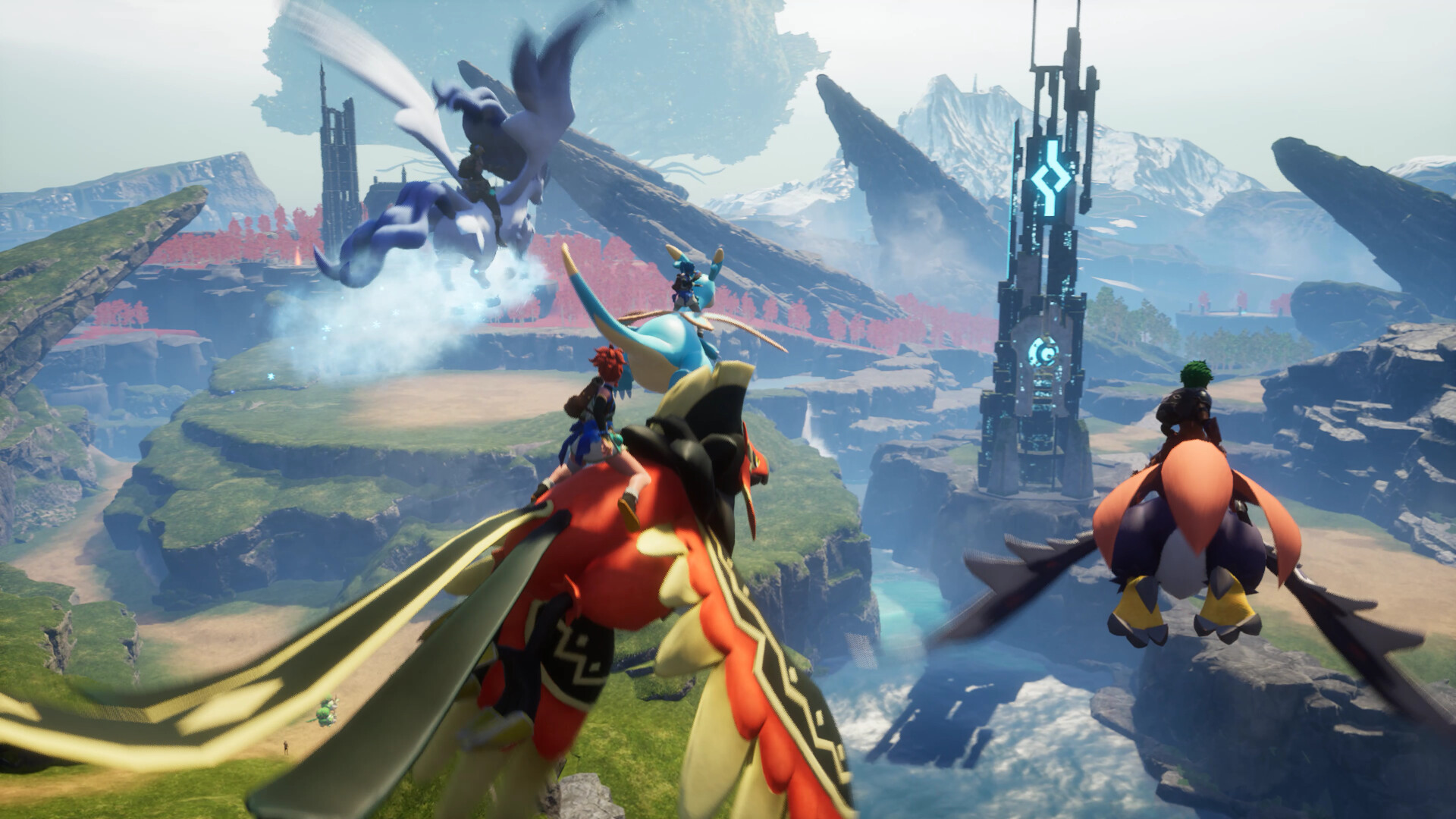
You might also like
- Palworld Beginner Guide: First Steps, Resources, and Common Mistakes
- Palworld Legendary Blueprints in the Version 0 2 0 6 update: Beginner Guide
- Palworld Not Found Session 91 Bug Fix: Beginner Guide for New Players
- Palworld Beginner Guide: First Steps, Priorities, and Common Mistakes
- Palworld All Player Attack Boosting Partner Skills Beginner Guide
Resource Priority Order
Your resource priority order in the early game should be survival materials first, base-function materials second, and progression materials third. That order keeps you alive, lets your base start producing, and prevents wasted crafting on items you will replace quickly.
A simple beginner priority ladder is easier to follow than trying to memorize every recipe at once.
| Priority | Spend or Hoard | Why It Matters Early | Typical Examples |
|---|---|---|---|
| 1 | Spend immediately | Keeps you alive and moving | Food, basic tools, repair needs |
| 2 | Hoard carefully | Drives base growth and core crafting | Wood, stone, fiber, pal-specific drops |
| 3 | Craft when needed | Unlocks progression without overbuilding | Workbenches, storage, starter weapons |
| 4 | Save for later | Avoids wasting materials on short-lived gear | Mid-tier upgrades, luxury structures |
The practical version is this: do not burn rare drops on comfort items before your base can even support you. Wood and stone are not exciting, but they matter more than shiny side upgrades in the opening stretch. The same is true for food and simple healing. If you are constantly hungry or undergeared, every expedition becomes slower and more dangerous.
A good early hoard list includes wood, stone, fiber, and any material that unlocks a new station or a much better capture loop. A good early spend list includes tools that speed gathering, storage that prevents inventory jams, and basic weapons or capture items that let you add more Pals to your roster. If you have to choose between decorative expansion and a production upgrade, choose production every time.
The most common beginner trap is overcrafting. New players often make too many copies of low-value gear or place too many structures before understanding the base layout. That can drain resources you would rather put into better tools, more storage, or a stronger defensive setup. A cleaner approach is to build only what helps your next real objective. If your next objective is catching Pals, spend on capture readiness. If it is surviving a local threat, spend on combat.
For players who are fixing crash issues at the same time, resource order matters even more because it keeps your sessions shorter and more deliberate. Fewer wasted actions mean fewer opportunities for unstable settings, mod conflicts, or long unbroken play sessions to create additional problems.
Common Mistakes
Common newbie mistakes in Palworld usually come from trying to play too fast, too fancy, or too independently before the early systems are stable. The game looks like a sandbox, but the beginner phase is much smoother when you respect the order of progression.
Ignoring storage too long
- Why players do it: the early inventory feels roomy until it suddenly does not.
- Fix: build storage early and move extra wood, stone, fiber, and spare drops out of your character inventory as soon as possible.
Catching Pals without checking what the base needs
- Why players do it: the Pok-mon-style instinct is to catch anything rare-looking.
- Fix: add a few Pals that help with labor, transport, and early combat first, then widen the roster after the base is functioning.
Overcommitting to one risky fight
- Why players do it: many beginners assume a stronger weapon or a few extra heals will solve everything.
- Fix: retreat when your food, health, or capture resources are running low, then return after upgrading gear or recruiting better support Pals.
Spending materials on short-term comforts
- Why players do it: it feels good to decorate or upgrade something visible right away.
- Fix: prioritize workstations, tools, and survival items before cosmetic or low-impact expansion.
Treating crashes like random bad luck
- Why players do it: UE errors can feel inconsistent, so it is tempting to ignore patterns.
- Fix: keep a simple checklist of recent changes such as drivers, mods, overlays, and graphics settings so you can isolate the real trigger.
Expanding the base before the production loop is ready
- Why players do it: building is fun and the game encourages it.
- Fix: make sure gathering, crafting, and storage already work before adding more land use or more structures.
Skipping backups after a stable session
- Why players do it: backups feel unnecessary until something goes wrong.
- Fix: save copies of important progress before trying mods, major settings changes, or experimental fixes for the access violation bug.
Each of these mistakes is fixable because none of them requires advanced skill. They usually require discipline, and that is easier once you accept that the early game is about building a stable engine, not proving you can rush the hardest content.
Pro Tips
Advanced beginner play in Palworld gets better when you think in systems instead of isolated tasks. The game rewards players who keep the base productive, the party flexible, and the gear path uncluttered.
Tip 1. Use your first stable base as a production testbed
When your camp can reliably collect, store, and process basic materials, use it to test whether your settings or mods are stable before moving deeper into the world. If the game crashes during normal base use, you know the issue is not just combat-heavy zones.
Tip 2. Keep one slot of flexibility in your active party
A flexible party lets you respond to new terrain, unexpected fights, or a sudden need to carry more materials. In practice, that means avoiding a party that is only built for one task, such as pure damage or pure gathering.
Tip 3. Learn the difference between “must-carry” and “nice-to-carry”
Food, capture tools, and repair essentials deserve priority because they keep an expedition alive. Extra building materials are useful, but bringing too much slows you down and makes death or a crash more annoying to recover from.
Tip 4. Do not change multiple settings at once when fixing crashes
If you are troubleshooting the UE-Pal Exception Access Violation issue, change one thing at a time. For example, test a driver update first, then file verification, then mod removal. That gives you a clean read on what actually helped.
Tip 5. Use early Pals for labor, not just combat
A Pal that improves base work can save more time than a slightly stronger fighter. In the opening stretch, that often matters more than raw DPS because it improves the whole loop of gathering, crafting, and expansion.
Tip 6. Treat map movement as a resource
Getting stuck far from base after a crash or death wastes real time. Before exploring, make sure you have enough mobility, healing, and map awareness to get back without turning one mistake into a long recovery chain.
Tip 7. Keep a stable “known good” configuration
Once the game is running well, note which settings, drivers, and add-ons were active. That makes the next access violation much easier to diagnose because you can compare the broken state to a working one instead of guessing.
Graduation Threshold
You are out of the beginner phase when your base, party, and resource flow can recover from mistakes without collapsing. That threshold is less about character level and more about whether your systems can support normal exploration, combat, and crafting without constant micromanagement.
A beginner usually becomes an intermediate player when several things are true at once. You can leave the base for an extended trip and return to meaningful production instead of a stalled mess. You have enough Pals to cover combat and labor without feeling forced to catch everything you see. You know which resources should be spent immediately and which should be stored for later upgrades. Most importantly, you can take a loss, a crash, or a failed capture attempt without losing the whole session.
Here is a practical self-check:
| Readiness Check | Beginner State | Out of Beginner Phase |
|---|---|---|
| Base stability | Frequent clutter, poor flow | Production and storage are organized |
| Party role coverage | One-dimensional team | Combat, labor, and mobility are covered |
| Resource habits | Everything gets spent immediately | You hoard, craft, and spend with intent |
| Exploration | Short, risky outings | Longer trips with recovery plans |
| Troubleshooting | Guessing after every crash | You can isolate likely causes |
For Palworld specifically, graduating from beginner play often means you are ready to choose a clearer direction: deeper base automation, stronger capture play, dungeon runs, or a more focused combat setup. That is also the point where guides on breeding, boss routes, or optimized early progression start making more sense than broad “what is the game” advice. If you are still scrambling for storage, food, and a stable launch, you are not there yet.
The same idea applies to the bug-fix side. Once you can identify whether a crash is tied to a specific region, mod, or graphical tweak, you have moved beyond trial-and-error troubleshooting. At that point, you are managing the game like a maintained system rather than a fragile installation. That is the real graduation signal.
Common Mistakes
Beginner mistakes are worth isolating on their own because they are where most progress gets lost. The good news is that the fixes are straightforward once you name the problem clearly.
Rushing into hard content before the base can support recovery
- Why it happens: the map invites exploration and the combat loop feels manageable at first.
- Fix: build a reliable resource loop and only then move into tougher areas or boss attempts.
Treating every Pal as equally valuable early
- Why it happens: early on, everything feels useful because your roster is small.
- Fix: keep Pals that solve immediate problems, such as labor, transport, or early combat, and store the rest until you can evaluate them properly.
Skipping the stability fix process
- Why it happens: crashes feel intermittent, so players assume the issue will go away.
- Fix: verify files, review drivers, disable mods, and test cleanly before returning to normal play.
Using rare materials too early
- Why it happens: rare drops feel like progress and beginners want visible upgrades.
- Fix: reserve unusual materials for upgrades that will stay relevant past the beginner phase.
Not learning a repeatable opening routine
- Why it happens: sandbox freedom encourages improvisation.
- Fix: settle on a reliable first-hour loop for gathering, catching, crafting, and storage so every fresh session starts strong.
Changing too many variables when something goes wrong
- Why it happens: frustration pushes people to tweak every setting at once.
- Fix: isolate one cause at a time so you know what actually improved the crash or performance issue.
This section matters because beginner errors in Palworld compound quickly. A small mistake with storage becomes a crafting bottleneck. A bad capture habit becomes a weak party. A sloppy troubleshooting habit becomes a crash loop you cannot explain. Fixing the pattern early saves far more time than reacting after the damage spreads.
Related Guides
These sibling topics are the natural next steps after a beginner crash-fix and opening guide.
- Palworld Best Early-Game Pals
- Palworld Early Base Setup Guide
- Palworld Breeding Combos for Beginners
- Palworld Boss Order and Walkthrough
- Palworld Resource Farming Route Guide
- Palworld Combat Build Guide
- Palworld Multiplayer Co-op Guide
Sources
- https://store.steampowered.com/app/1623730/
- https://howlongtobeat.com/?q=palworld
- https://www.protondb.com/app/1623730
- https://steamcommunity.com/stats/1623730/achievements
- https://en.wikipedia.org/wiki/Palworld
- https://store.steampowered.com/app/1623730/
See also
- Palworld Fastest Flying Mounts: Best Flying Pals to Unlock in Order
- Palworld What Carries Over to Version 1 0 Beginner Guide
- Palworld Beginner Guide
- Palworld All Player Defense Boosting Partner Skills: Beginner Guide
- Palworld Version 1 0 Release Time and Countdown Beginner Guide
- Palworld Beginner Guide
- Palworld List of Pals that Improve Carry Capacity: Beginner Guide
- Palworld All Pal Attack Boosting Partner Skills Beginner Guide
- Palworld Instant Pal Revive and Heal Glitch: Beginner Guide
- Palworld Best Player Builds Main Character Builds for Beginners
Screenshots



Reviewed by
Palworld Guides Editorial
Expertise: Editorial team behind Palworld Guides. Content is compiled from official patch notes, community wikis, and playthrough notes, then reviewed and updated on schedule.
Sources
Palworld Progression Guides →
Browse the complete progression collection and its focused guides.
Related Guides



🔥 Popular Guides
Idiosyncratic Passive Skill Palworld — Effect, Stacking & Best Pals
Idiosyncratic boosts a Pal's unique trait in Palworld. Learn the exact effect, whether it stacks, which Pals have it, and when to keep or breed it out.
Palworld Hartalis Slab Fragment Beginner Guide
Learn what Palworld Hartalis Slab Fragment is, how to handle it, early priorities, mistakes to avoid, and when you’ve outgrown beginner status.
Palworld Feathered Hair Band Beginner Guide
Learn what the Palworld Feathered Hair Band does, how to use it early, what to craft first, and when you leave beginner stage.
Palworld Beginner Guide: Palworld All Pal Stats Basics
Learn early priorities, common mistakes, and when Palworld beginners are ready to move past the opening phase.
📋 Patch Notes & Updates
🛠️ Popular Tools
Was this guide helpful?
Rate this guide so we can improve it.
Share your own tip
Found something not in the guide? Submit it below — our editors review every tip before publishing. No account required.